How to Update Pag-IBIG Membership Information
Use the correct MCIF, prepare the supporting documents for your change, submit them through the proper Pag-IBIG channel, and avoid creating a duplicate MID Number.
Quick answer
To update Pag-IBIG membership information, complete the current Member’s Change of Information Form, HQP-PFF-049, attach a photocopy of a valid ID and any supporting civil or legal document required for your change, then submit the documents to a Pag-IBIG branch. Present the original or certified true copy of supporting documents for authentication.
The MCIF currently instructs members to file through a branch. Virtual Pag-IBIG can help you check records and access online services, but you should not assume that every name, birth, marital-status, employment, or heir correction can be completed online.
What information can be updated?
The MCIF groups member-record changes into eight areas. Fill in only the sections that apply and write the old and corrected information exactly as supported by your documents.
Membership category
Update the category connected to your current work or membership arrangement.
Name correction
Change a surname after marriage or correct a name using civil or legal proof.
Date of birth
Correct the recorded birth date using the proper civil-registry record.
Marital status
Update marriage, legal separation, annulment, divorce, widowhood, or an encoding error.
Address and contacts
Change the home address, mailing preference, phone number, email, or listed messaging contacts.
Employment details
Update the employer or business, occupation, address, status, and employment date.
Heirs
Add, delete, or correct the heirs recorded under the membership information.
Other corrections
Correct the place of birth, mother’s maiden name, sex, or another supported item.
Can you update Pag-IBIG information online?
The main keyword frequently includes the word “online,” but the current MCIF instructions still direct the member to submit the accomplished form and required supporting documents to a Pag-IBIG branch. This is especially important when Pag-IBIG must authenticate a birth certificate, marriage certificate, court order, death certificate, or another original document.
Online services remain useful for checking an account, confirming a MID Number, viewing available records, and downloading the form. An account login email or password is also different from the personal information stored in the underlying membership record.

Pag-IBIG membership update requirements
Every personal filing starts with the MCIF and a valid ID. The extra document depends on the specific information being changed.

| Information to update | Core requirements | Additional proof |
|---|---|---|
| Membership category | Original MCIF and photocopy of a valid ID | No additional standard document is listed in the current checklist, but Pag-IBIG may verify the requested category. |
| Name due to marriage | Original MCIF and photocopy of a valid ID | Marriage certificate issued by PSA, NSO, or the local civil registry |
| Name for another reason | Original MCIF and photocopy of a valid ID | Birth certificate and a court order granting the name change, as applicable |
| Date of birth | Original MCIF and photocopy of a valid ID | Birth certificate issued by PSA, NSO, or the local civil registry |
| Single to married | Original MCIF and photocopy of a valid ID | Marriage certificate |
| Married to legally separated | Original MCIF and photocopy of a valid ID | Decree of legal separation |
| Married to annulled or nullified | Original MCIF and photocopy of a valid ID | Certificate of finality or an annotated marriage certificate |
| Married to divorced | Original MCIF and photocopy of a valid ID | Applicable divorce certificate or equivalent document |
| Married to widowed | Original MCIF and photocopy of a valid ID | Death certificate of the deceased spouse |
| Married to single due to an encoding error | Original MCIF and photocopy of a valid ID | CENOMAR issued by PSA or NSO |
| Address or contact details | Original MCIF and photocopy of a valid ID | No additional standard supporting record is listed |
| Employment details | Original MCIF and photocopy of a valid ID | No additional standard supporting record is listed |
| Heirs | Original MCIF and photocopy of a valid ID | Pag-IBIG may request clarification when the information cannot be validated |
| Place of birth, mother’s maiden name, or sex | Original MCIF and photocopy of a valid ID | Birth certificate issued by PSA, NSO, or the local civil registry |
Documents issued outside the Philippines
Civil documents issued abroad need additional authentication. When the issuing country is a member of the Hague Apostille Convention, the document should be apostilled by the appropriate authority. When the country is not covered, the document should be certified by the Philippine embassy or consulate in the country where it was issued.
Do not submit only an unofficial translation or a mobile screenshot. Ask the branch whether a translation, apostille, consular certification, or another authentication step is needed for the exact document.
How to update through a representative
Original MCIF
The member completes and signs the correct sections of the change form.
IDs of both parties
Prepare photocopies of valid IDs for the member and the authorized representative.
Authorization letter
Provide an original authorization letter together with the supporting document for the change.
How to update Pag-IBIG membership information
Check the information currently recorded
Review the available membership record, MDF, Virtual Pag-IBIG information, or branch-issued document. Identify the exact field that is wrong instead of completing every MCIF section.
Download the current MCIF
Open the official Pag-IBIG forms page and choose the Member’s Change of Information Form, HQP-PFF-049. Check the revision number printed on the PDF before using a copy saved earlier.
Complete only the applicable portions
Write in block or capital letters, enter the old and corrected data accurately, use N/A where instructed, and sign the certification.
Prepare photocopies and originals
Attach the valid ID and transaction-specific supporting document. Bring the original or certified true copy for authentication.
Submit to a Pag-IBIG branch
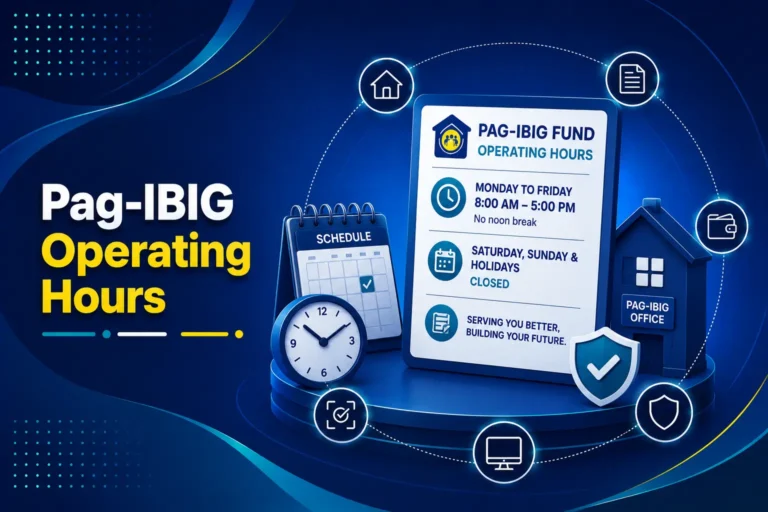
Use a branch that can accept member-record changes. Check the branch address and operating hours before travelling, especially for mall locations and holiday schedules.
Keep proof and check the corrected record
Save the receiving copy or reference. Review the information later and contact Pag-IBIG when the original data remains or the correction needs further verification.

How to complete the MCIF correctly
- Enter the existing MID Number
- Add the housing account number only when applicable
- Write the member’s current registered name
- Check every update category that applies
- Complete only the affected fields
- Show both the old and corrected information
- Use block or capital letters
- Write N/A where the form instructs
- Review spellings and dates against the proof
- Sign and date the certification
A common mistake is entering only the new information without showing the current record being replaced. Another is using a nickname, married surname, employer trade name, or date format that does not match the supporting document.
Updating employment details and a company name
The MCIF employment section can update the employer or business name, occupation, employer address, employment status, and date employed. Use it when your personal member record still points to an old employer or contains incorrect employment information. Members leaving salaried work can review the self-employed Pag-IBIG membership process before updating the category and arranging individual payments.
A company changing its own registered business name is different. The employer must update its Pag-IBIG employer record through the proper Employer Services process. An employee’s MCIF does not replace the business’s employer-record update.
Can a tracking number be used for the update?
A Registration Tracking Number or RTN is associated with a membership registration that has not yet reached the permanent MID stage. It is not a replacement for the MID Number and is not the normal tool for editing an established member record.
When the registration is still pending, first determine whether a MID Number has already been issued. When a permanent MID exists, use that record for the MCIF. Do not begin another online registration because the original name, employer, birth date, or address needs correction.
Use our separate Pag-IBIG MID Number instructions for retrieval and verification. Duplicate MID Numbers may require the official consolidation or merging process rather than a basic MCIF update.
Common reasons an update is delayed or returned
Wrong form
The member submits a blank MDF, registration form, or third-party template instead of the current MCIF.
Missing original document
A photocopy is attached, but the original or certified true copy is not available for authentication.
Information does not match
The name, date, signature, or civil-status detail on the MCIF differs from the valid ID or supporting record.
Incomplete legal proof
A marital-status or legal-name change is requested without the relevant decree, certificate of finality, annotated record, or court order.
Foreign record is not authenticated
The overseas document lacks an apostille or consular certification required for recognition.
Duplicate membership record
The contributions or identity information are divided between two MID Numbers and need consolidation instead of an ordinary update.
MCIF, MDF, and account login differences
| Record or form | Main purpose | Use it for this update? |
|---|---|---|
| MCIF, HQP-PFF-049 | Change or correct information already recorded for a member | Yes. This is the owner form for the article. |
| Member’s Data Form or MDF | Membership data, registration information, or a copy of the member record | No for a normal post-registration correction. Use the MCIF. |
| Virtual Pag-IBIG account | Access available online services and records | Useful for checking, but not a substitute for every documentary correction. |
| RTN | Track a registration before the permanent MID is issued | No for a member record that already has a MID Number. |
| Consolidation request | Merge duplicate or separate membership records | Use when two MID Numbers or split records are the real problem. |
How to check the update afterward
The MCIF does not provide one universal processing period for every type of change. A simple contact update and a legal name or marital-status correction may require different validation. Branch workload, document authentication, and duplicate-record questions can also affect completion.
Keep your receiving copy, reference, or branch acknowledgement. Later, review the information visible through official Pag-IBIG services or request confirmation from the branch. When the change affects contributions, loans, or claims, confirm the corrected identity before starting the next major transaction.
Frequently asked questions
Can I update my Pag-IBIG membership information online?
Some online services let you view records, download forms, or manage account access, but the current MCIF instructs members to submit the completed form and supporting documents to a Pag-IBIG branch. Do not assume every civil-status, name, birth, or employment correction can be completed inside Virtual Pag-IBIG.
What form is used to update Pag-IBIG information?
Use the Member’s Change of Information Form or MCIF, form code HQP-PFF-049. Check the revision printed on the current official PDF before completing it.
Can I use the MDF to change existing information?
The Member’s Data Form mainly records membership data. For corrections or updates after registration, the MCIF is the proper change form. A blank MDF should not be used to create a second membership record.
What details can be changed with the MCIF?
The form covers membership category, name, date of birth, marital status, address and contact details, employment information, heirs, and certain other personal-data corrections.
What documents are required for a name change after marriage?
Prepare the original MCIF, a photocopy of the marriage certificate issued by PSA, NSO, or the local civil registry, and a photocopy of a valid ID acceptable to Pag-IBIG. Bring the original or certified true copy for authentication.
How do I correct my date of birth?
Submit the MCIF, a photocopy of the birth certificate issued by PSA, NSO, or the local civil registry, and a photocopy of a valid ID. Present the original or certified true copy for authentication.
How do I change my marital status from married to widowed?
Submit the MCIF, the deceased spouse’s death certificate issued by PSA, NSO, or the local civil registry, and a valid ID. Other marital-status changes require the matching legal document.
Can I update only my address, phone number, or email?
Yes. The MCIF includes address and contact-detail fields. The current checklist requires the MCIF and a valid ID for the member filing personally.
How do I update my employer or company details?
Use the employment-details section of the MCIF to update the employer or business name, occupation, employer address, employment status, and date employed. The current checklist requires the MCIF and a valid ID for personal filing.
What if my employer changed its company name?
Update the employment details attached to your member record when the employer name shown for you is outdated. The employer’s own registered-business change is a separate Employer Services transaction and should be handled by the employer.
Can I use my registration tracking number to update my record?
The registration tracking number is mainly used while a new registration is being processed. Once a permanent MID Number exists, use that member record. Do not register again merely to correct information.
Can a representative submit the MCIF for me?
Yes, subject to the checklist. The representative generally needs the original MCIF, photocopies of valid IDs for both parties, an original authorization letter, and the supporting document required for the specific change.
What happens to documents issued abroad?
Civil documents issued abroad generally need an apostille when the issuing country belongs to the Hague Apostille Convention. Otherwise, the document should be certified by the Philippine embassy or consulate in the issuing country.
How long does a Pag-IBIG information update take?
The current MCIF does not promise one universal processing period. Timing can depend on the correction, supporting documents, authentication, branch workload, and whether the record needs further review.
How can I check whether the update was completed?
Keep the receiving copy or transaction reference and later review the member information available through official Pag-IBIG services. Ask the branch or official support channel when the old information remains.
What should I do if I have two MID Numbers?
Do not use the MCIF alone to choose one record or create another registration. A duplicate record may require the Request for Consolidation or Merging of Member’s Records and official verification.
Related Pag-IBIG information
Official forms and resources
Member’s Change of Information Form
Use form code HQP-PFF-049. The revision can change, so verify the version printed on the official PDF before completing it.
Official provident forms category
Use the category page when a direct PDF link is replaced or the Pag-IBIG website asks you to complete a security check.
Independent information notice
This website is an independent informational resource and is not operated by, affiliated with, or endorsed by Pag-IBIG Fund or any Philippine government agency. Forms, accepted IDs, document-authentication rules, online services, and branch procedures can change. Confirm important or account-specific corrections through official Pag-IBIG channels.