Pag-IBIG Appointment: Online Booking and Branch Visit Steps
A Pag-IBIG appointment may be offered by a specific branch, service, or government service hub, but booking arrangements are not identical everywhere. Check whether your transaction can be completed online first, then verify the exact branch process before travelling.
Quick answer
To arrange a Pag-IBIG appointment, first identify the service and branch you need. Use Virtual Pag-IBIG when the transaction is available online. When a branch or official service channel publishes an appointment link, use that exact link, select the service and location, choose an available date, enter your details, and save the confirmation.
Appointment availability can differ by branch, transaction, and service hub. Do not assume that every Pag-IBIG office uses the same booking page, accepts the same appointment types, or requires an appointment for every visit. When no appointment option is shown, contact the branch or Pag-IBIG support and confirm whether walk-ins are accepted.
Do you need a Pag-IBIG appointment?
Not every member needs to visit a branch. Before looking for an appointment slot, check whether your concern can be completed through Virtual Pag-IBIG, an online application page, email support, or the Pag-IBIG hotline. This can save travel time and prevent booking a visit for a service that is already available online.
| Your situation | Best first action | Appointment likely needed? |
|---|---|---|
| You only need to view available account information or use an online service | Sign in to Virtual Pag-IBIG and check the service menu. | Usually no branch visit is needed. |
| You need to submit original documents, complete identity verification, or correct sensitive records | Find the correct branch and ask whether it uses appointment slots. | A branch visit may be required. |
| You need Loyalty Card Plus enrollment, biometrics, or card-related processing | Confirm that the selected branch currently offers the service and whether it accepts appointments. | Often branch-specific. |
| You have a housing, claim, or specialized loan concern | Confirm the correct business center or service office before booking. | May require a designated office. |
| No appointment link appears for the branch | Call support or the branch and verify walk-in rules and queue cutoffs. | Do not use an unofficial booking site. |

How to book a Pag-IBIG appointment online
Because the booking route can vary, the exact buttons may look different. The safe process is to begin from an official Pag-IBIG page, branch advisory, verified government app, or service-specific instruction. Avoid copying a booking URL from an old blog post without checking who operates it.
Choose the service
Identify whether the visit is for membership, records, savings, loans, housing, claims, employer concerns, or card processing.
Select the correct office
Use the branch locator and confirm that the office handles the service. The nearest branch is not always the correct branch.
Use the official booking route
Open the link or app published for that location. Select an available date and time only when the service is listed.
Save the confirmation
Keep the reference number, QR code, email, text message, or screenshot and review the arrival instructions.
Information commonly requested during booking
The form may ask for your full name, mobile number, email address, branch, service type, preferred date, and preferred time. Some appointment channels may also ask for your MID Number or a transaction reference. Enter information exactly as it appears in your Pag-IBIG records to reduce verification problems.
Member information
Use your complete legal name, active mobile number, and accessible email address.
Branch and service
Choose the exact office and transaction. Do not select a general inquiry when you need specialist processing.
Booking evidence
Save the confirmation before closing the page. A completed form without confirmation may not mean the slot was recorded.
What to prepare before the appointment
An appointment reserves or requests a service time, but it does not waive the documentary requirements. Check the latest requirements for your transaction before the visit. When a form is required, download the current official revision rather than using an old copy saved on your device.
- Pag-IBIG MID Number, when applicable
- At least one accepted valid ID
- Correct Pag-IBIG form for the transaction
- Original documents and photocopies when required
- Supporting records, receipts, or payment references
- Appointment confirmation or reference number
- Active mobile number and email address
- Authorization documents when using a representative
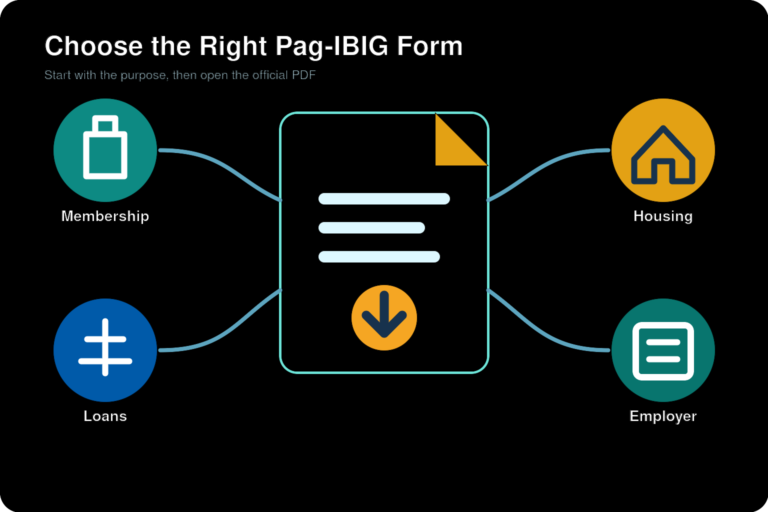
Our Pag-IBIG downloadable forms page provides direct official PDF links for common membership, loan, claim, housing, and employer forms. Review the relevant owner article for the complete requirements of your transaction.

Can you walk in without an appointment?
Walk-in service may be available, but the rules can depend on the branch, day, service, and queue capacity. A branch may accept walk-ins for general member services while requiring a different process for housing, claims, biometrics, or specialist transactions. Queue numbers may also stop before the posted closing time when the daily capacity has been reached.
Before travelling, review the selected office on our Pag-IBIG branches near me page and check the Pag-IBIG operating hours. For a long trip or a specialized service, call first.
Pag-IBIG appointment in Cebu and other cities
Location-based searches such as “Pag-IBIG appointment Cebu” usually mean the member wants a specific Cebu branch, not a national booking page. Start by choosing the nearest office that handles your service, such as a regular member branch, a mall-based office, or a housing service location. Then confirm whether that location currently offers appointments, walk-ins, or both.
The same method applies in Metro Manila, Davao, Iloilo, Bacolod, Baguio, Pampanga, Batangas, and other areas. Appointment availability can change as branches move, service hubs expand, or local queue arrangements are updated. Search by city and service, not only by the phrase “Pag-IBIG appointment.”
Search by city
Use the city, branch name, mall, district, or nearby landmark. Confirm the address before opening directions.
Confirm the service
Call 8-PAG-IBIG at (02) 8-724-4244 or use official support when the branch process is unclear.
How to reschedule or cancel
Use the management link in the appointment confirmation when one is provided. You may need the booking reference, email address, mobile number, or QR code used during the original request. If the confirmation does not include a reschedule or cancellation option, contact the branch or support channel that issued the appointment.
Do not create several bookings for the same service merely because the first confirmation is delayed. Duplicate appointments can cause confusion and may block slots that other members need. When changing the schedule, save the new confirmation and delete or label the old screenshot so you do not present the wrong details.
| Problem | What to do |
|---|---|
| No confirmation arrived | Check spam folders, verify the mobile number and email used, then contact the branch before assuming the slot exists. |
| Wrong branch or service selected | Use the official manage-booking option or contact the issuing office. Do not attend a different office without confirmation. |
| You will be late | Review the arrival policy in the confirmation. Contact the branch when possible because the slot may be released. |
| You missed the appointment | Request another slot through the same official route or ask whether the branch will accept a walk-in visit. |
| Booking page will not load | Try another browser or network, then use the hotline, official chat, or branch contact. Never switch to an unverified site. |

Common appointment mistakes
Using an unofficial booking site
Confirm the domain and source before entering names, IDs, contact information, or membership details.
Arriving without complete documents
A scheduled time cannot replace an ID, form, signature, receipt, or supporting record required for the transaction.
Ignoring arrival instructions
Some offices ask members to arrive early, while others use queue numbers or building access rules.
Security reminders
Pag-IBIG appointment assistance should not require you to reveal your Virtual Pag-IBIG password, ATM PIN, card PIN, or one-time password to another person. Do not pay a fixer for a branch slot. Be cautious when someone promises priority service through a private message or asks you to transfer money to a personal account.
Use the official Pag-IBIG contact number page when you need the hotline, email, and official support options. Report suspicious booking pages or messages rather than submitting more information.
Official confirmation path
When no appointment button appears, do not search for a random third-party booking page. Use these official routes in order:
Check Virtual Pag-IBIG
Confirm whether the transaction can be completed online before arranging a branch visit.
Open Virtual Pag-IBIGVerify the official office
Use Pag-IBIG’s locator to confirm the current branch name and listed office details.
Open official branch locatorCall 8-PAG-IBIG
The official support-services charter lists (02) 8-724-4244 as a 24-hour, 7-day support channel. Ask whether the selected office accepts appointments, walk-ins, or service-specific submissions.
Call (02) 8-724-4244Check official notices
Review the official website and branch advisories for temporary changes, closures, service hubs, and location-specific instructions.
Open official Pag-IBIG websiteFrequently asked questions
How do I book a Pag-IBIG appointment online?
Identify the service and branch, then use the appointment link or app published by that official branch, service, or authorized government hub. Select the available slot, enter your details, and save the confirmation.
Is there one Pag-IBIG appointment website for all branches?
No single booking route should be assumed for every office. Appointment and walk-in arrangements can vary by branch, service, and government service hub. Start with Virtual Pag-IBIG, the official branch locator, or a verified Pag-IBIG advisory.
Do I need an appointment for Pag-IBIG?
Not for every transaction. Some services are available online, some branches accept walk-ins, and some specialized services may use appointments or branch-specific instructions.
Can I visit Pag-IBIG without an appointment?
Walk-ins may be accepted, but service availability and queue capacity vary. Confirm the branch schedule and the service before travelling.
Can I book a Pag-IBIG appointment through Virtual Pag-IBIG?
Virtual Pag-IBIG provides many online services, but an appointment option may depend on the service and location. Use the service menu and follow any official instructions shown.
How do I make a Pag-IBIG appointment in Cebu?
Choose the Cebu-area branch that handles your transaction, then check its current appointment or walk-in process through an official channel. Do not assume every Cebu branch uses the same booking route.
What details are needed to book?
You may need your full name, mobile number, email address, branch, service, date, time, MID Number, or transaction reference.
How will I know the appointment is confirmed?
Look for a booking reference, QR code, email, text message, or confirmation screen. Save it before closing the page.
What should I do if no confirmation arrives?
Check spam folders and verify the contact details used. Contact the branch or support channel before assuming the booking was successful.
Can I reschedule my Pag-IBIG appointment?
Use the manage-booking link in the confirmation when available. Otherwise, contact the office or channel that issued the appointment.
How do I cancel an appointment?
Use the cancellation option provided in the booking confirmation or contact the issuing office. Keep proof that the booking was cancelled.
Can I book for another person?
The booking details should match the member who will complete the transaction. Ask the branch about representatives and authorization requirements when the member cannot attend.
What should I bring?
Bring the appointment confirmation, MID Number when applicable, accepted ID, correct forms, and all transaction-specific supporting documents.
What happens if I am late?
The branch may release the slot or place you in a regular queue. Check the arrival instructions and contact the office when possible.
Who can I contact about an appointment problem?
Call 8-PAG-IBIG at (02) 8-724-4244, email contactus@pagibigfund.gov.ph, use official website support, or verify the selected office through the official branch locator. The support-services charter currently lists the hotline as available 24 hours a day, 7 days a week.