Pag-IBIG MP2 Savings: How It Works, Rates, Enrollment and Withdrawal
Learn who can open an MP2 account, how to enroll and pay, how dividends work, when the savings mature, and what to check before withdrawing your money.
Quick answer
Pag-IBIG MP2 Savings is a voluntary five-year savings program for qualified Pag-IBIG members and eligible former members. You may save at least ₱500 per remittance, choose annual dividend payout or compounded dividends, and receive the principal plus earned dividends at maturity. The dividend rate is declared each year, so future returns are not fixed in advance.
The latest declared MP2 rate is 7.12% for dividend year 2025. It was announced on February 27, 2026. Dividend rates are approved and declared annually, so 7.12% is a historical declared rate, not a guaranteed rate for 2026 or for the full five-year term.
What is Pag-IBIG MP2 Savings?
MP2 stands for Modified Pag-IBIG II. It is designed for members who want to save more in addition to their mandatory or regular Pag-IBIG savings.
Five-year term
Each account has a standard five-year maturity period counted according to Pag-IBIG rules and the account’s payment history.
Flexible deposits
You can make regular deposits or occasional lump-sum payments, subject to the minimum remittance and payment-channel rules.
Annual dividends
The dividend rate is declared yearly. It is not a guaranteed fixed interest rate for the full five-year period.
Tax-free dividends
MP2 dividends are generally paid tax-free under the program’s rules.
Multiple accounts
A member may open more than one MP2 account, which can help create separate savings goals or stagger maturity dates.
Government-backed
MP2 savings and dividends are backed by the government under the applicable Pag-IBIG program rules.
Pag-IBIG MP2 dividend rate
Dividend rates change from year to year because they are declared after Pag-IBIG Fund calculates its financial results.
| Dividend year | MP2 rate | What it means |
|---|---|---|
| 2025 | 7.12% | This was the declared rate announced on February 27, 2026. |
| 2024 | 7.10% | The declared rate for the previous dividend year. |
| 2023 | 7.05% | Earlier declared rate often used in sample calculations. |
MP2 dividends are declared annually. A calculator can only estimate future value using an assumed rate.
Who can open an MP2 account?
Eligibility depends on your Pag-IBIG membership status and the program rules in force when you enroll.
Active Pag-IBIG members
Employees, self-employed members, OFWs, voluntary members, and others with an active membership record may generally enroll.
Former members and pensioners
Eligible former members may enroll when they meet the required prior savings history and have a continuing source of income.
Members with a valid MID
You normally need your permanent Pag-IBIG MID number and matching personal information to complete online enrollment.
An RTN is used while membership registration is being processed. MP2 enrollment normally uses the permanent MID number.
How to open a Pag-IBIG MP2 account online
The labels may change slightly, but the process follows the same general sequence.

Open the official MP2 enrollment service
Use the official MP2 enrollment service, or start from the Pag-IBIG Fund website or Virtual Pag-IBIG. Confirm the domain before entering personal information.
Enter your MID and identity details
Provide the permanent MID number, full name, and birth information exactly as they appear in your membership record.
Choose your planned savings amount
Indicate the amount and preferred payment frequency. The amount entered is a plan, not always an automatic deduction.
Select the dividend option
Choose annual dividend payout or compounded dividends. Compounding keeps declared dividends in the account until maturity.
Submit and save the account number
After successful enrollment, save the 12-digit MP2 account number and the confirmation record.
Make the first payment
Use an available official payment channel and enter the MP2 account number carefully. Keep the receipt until the payment appears online.
How to pay Pag-IBIG MP2 Savings
Payment options vary by location and channel. Always verify the account number and payment period before submitting.

| Payment method | Useful for | What to check |
|---|---|---|
| Virtual Pag-IBIG | Online payment using supported digital channels | Correct MP2 account, amount, fee, and confirmation |
| GCash, Maya, or partner apps | Convenient mobile payments when available | Select MP2, not Regular Savings, and verify the account number |
| Pag-IBIG branch | Over-the-counter payment and assistance | Bring the required account information and keep the receipt |
| Authorized collecting partners | Members who prefer cash or partner channels | Confirm the partner is currently authorized |
| Salary deduction | Employees whose employer supports MP2 deductions | Confirm payroll setup, amount, and posting with HR |
Pag-IBIG MP2 savings calculator
This estimator uses a constant assumed annual rate. Actual dividends vary each year and are credited according to Pag-IBIG rules.
The estimate assumes monthly deposits and monthly compounding using the selected annual rate. It is for planning only and does not reproduce Pag-IBIG’s official dividend-crediting computation.
Annual payout vs compounded dividends
Your choice affects when dividends are released and how much remains in the account to earn future dividends.
| Option | How it works | Best suited for |
|---|---|---|
| Annual payout | Declared dividends are released yearly through the approved payout method. | Members who want periodic cash flow. |
| Compounded | Dividends remain in the account and are released with the principal at maturity. | Members focused on maximizing long-term growth. |
How to check your MP2 savings online
Use your Virtual Pag-IBIG account to review information that has already been posted to your MP2 record.
Log in to Virtual Pag-IBIG
Use the credentials for your activated member account, not merely the MP2 account number.
Open the MP2 Savings service
Select the account you want to review if you have more than one MP2 account.
Check posted payments and dividends
Compare the online record with your receipts and payroll deductions. Recent payments may require posting time.
MP2 maturity and withdrawal
At maturity, the member may claim the principal and dividends according to the chosen payout option. For the APB form and general filing steps, see the Pag-IBIG savings claim process.

Under the program rules, unclaimed matured savings stop earning the MP2 rate. Subsequent dividends may be based on the regular Pag-IBIG savings rate for a limited period.
Early withdrawal
MP2 is not designed as an anytime-withdrawal account. Early release may be allowed only for qualifying reasons under Pag-IBIG rules, such as total disability, serious illness, death, separation from service due to health, retirement, or other approved circumstances. Special government-authorized relief programs may temporarily add qualifying cases for affected members.
How to claim matured MP2 savings
Prepare the required claim form, valid identification, MP2 account information, and any supporting documents requested for the claim type. The available online or branch process can change, so confirm the current instructions through official Pag-IBIG channels before submitting.
Common MP2 mistakes to avoid
Most problems involve incorrect account numbers, confusion between savings products, or unrealistic expectations about returns.
Using the MID instead of the MP2 account number
The MID identifies the member. Each MP2 account has its own separate account number for payments and tracking.
Assuming deposits are automatically monthly
Enrollment does not always create an automatic debit. You must pay through an official channel or arrange payroll deduction.
Expecting a fixed return
Past dividend rates are useful references, but future rates are declared annually and can rise or fall.
Paying the wrong product
Choose MP2 Savings, not Regular Savings or a loan payment, when using a digital payment channel.
Opening another account to fix a missing payment
A missing posting issue should be investigated using receipts and the correct account record.
Ignoring the maturity date
Plan the claim or next savings account before maturity so the money does not remain idle.
Official MP2 sources and forms
Use these primary and dated government sources to verify program rules, enrollment, forms, payments, and the latest declared dividend rate.
Pag-IBIG Fund’s overview of Modified Pag-IBIG II Savings.MP2 Circular No. 407
Rules on eligibility, minimum savings, dividends, maturity, withdrawal, and renewal.Official online enrollment
Create an MP2 account using a valid MID Number and matching member details.MP2 Enrollment Form
HQP-PFF-226 V06, dated November 2023.Official payment guide
Shows MP2 payment selection, account-number use, and the ₱500 minimum.2025 dividend-rate announcement
Dated news report confirming the 7.12% MP2 rate for dividend year 2025.
If a direct file does not open, start from the official MP2 program page or Pag-IBIG Fund website and locate the document again by its title or form code.
Frequently asked questions
Answers to common Pag-IBIG MP2 Savings questions.
What is Pag-IBIG MP2 Savings?
It is a voluntary five-year savings program that allows qualified Pag-IBIG members to save separately from Regular Savings and earn annually declared dividends.
What is the minimum MP2 savings amount?
The minimum is generally ₱500 per remittance.
Is there a maximum MP2 savings amount?
The program generally has no stated overall savings ceiling, although large one-time payments may be subject to special payment and verification requirements.
What is the latest Pag-IBIG MP2 dividend rate?
The latest declared rate available as of July 31, 2026 is 7.12% for dividend year 2025, announced on February 27, 2026. It is a past declared rate, not a guaranteed rate for 2026 or future years.
Can I open MP2 online?
Yes. Eligible members can use the official online MP2 enrollment service using a valid MID number and matching member details.
Can a new Pag-IBIG member open MP2?
A newly registered member should first obtain the permanent MID number and ensure the membership record is valid before attempting MP2 enrollment.
How many MP2 accounts can I open?
Members may generally open multiple MP2 accounts. Each account receives its own number and maturity timeline.
Can I make a one-time lump-sum payment?
Yes. MP2 accepts flexible deposits, including lump sums, subject to payment-channel and large-payment requirements.
Do I have to pay every month?
No fixed monthly schedule is required for most members, but regular saving makes it easier to reach a target. Salary deduction depends on employer support.
How do I check my MP2 savings?
Log in to Virtual Pag-IBIG and open the MP2 Savings service to review posted deposits and declared dividends.
Is the MP2 dividend guaranteed?
The savings and declared dividends are government-backed, but the annual dividend rate itself is not fixed in advance.
Are MP2 dividends taxable?
MP2 dividends are generally tax-free under the program rules.
Can I withdraw MP2 before five years?
Early withdrawal is limited to qualifying reasons under Pag-IBIG rules or special approved relief programs.
What happens after MP2 matures?
You may claim the principal and earned dividends. Unclaimed matured savings no longer earn the MP2 rate under the standard rules.
Can I continue saving after maturity?
You normally open a new MP2 account for another five-year term rather than continuing payments to a matured account.
Is MP2 the same as Regular Savings?
No. Regular Savings is the standard Pag-IBIG membership savings program, while MP2 is an optional additional account with a five-year maturity and usually higher declared dividends.
Related Pag-IBIG topics
Use these pages for the membership details and online services connected to MP2.
Get, verify, or retrieve your permanent member number. Virtual Pag-IBIG
Create an account and review available online services. Pag-IBIG Login
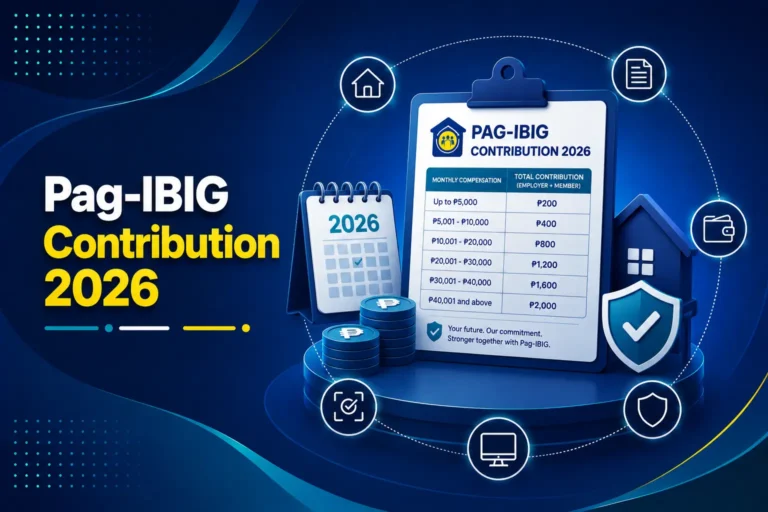
Access your member account and solve login problems. Pag-IBIG Contribution
Understand Regular Savings and contribution posting. Online Registration
Create your membership record before opening MP2.
For MP2 account selection, payment methods, fees, and receipt checks, read the Pag-IBIG online payment article.