Virtual Pag-IBIG
Use the official online portal to view records, monitor savings and loans, make selected payments, and manage member services from your phone or computer.
Quick answer
Virtual Pag-IBIG is Pag-IBIG Fund’s official online service platform for members. It provides access to savings records, MP2 information, loan balances and payments, selected online payments, application tracking, and other digital services. A member normally needs a permanent Pag-IBIG MID number before creating a full Virtual Pag-IBIG account.
On this page
What is Virtual Pag-IBIG?
It is the digital service channel that connects Pag-IBIG members with records and transactions that previously required a branch visit.
A member service platform
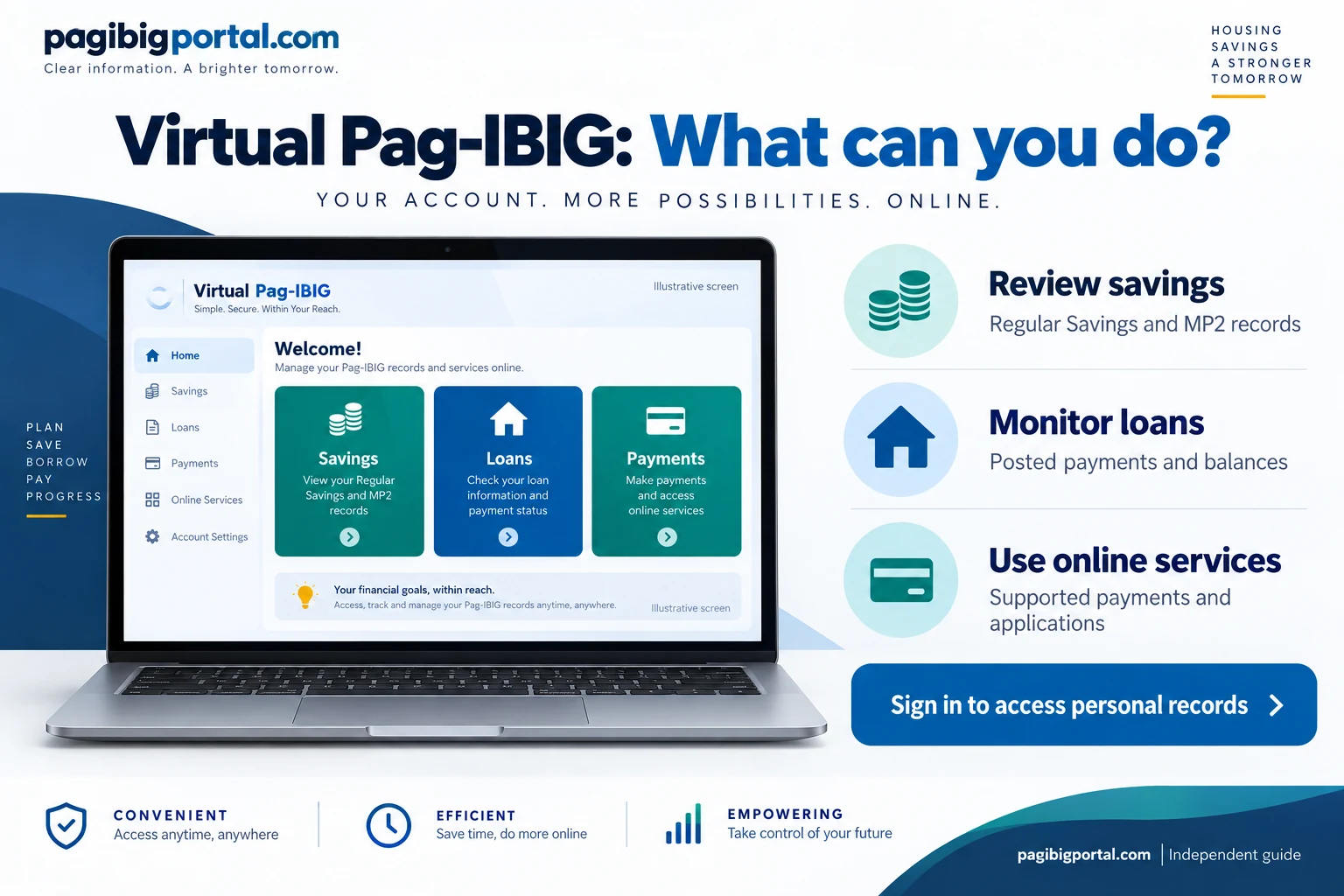
Virtual Pag-IBIG is not a separate type of membership and it does not replace your Pag-IBIG MID number. It is an online access layer connected to your existing membership record. After a valid account is created and activated, you can sign in to view information made available for your record.
The portal is especially useful when you need to confirm whether contributions were posted, monitor the growth of Regular Savings or MP2 Savings, check loan payment activity, or review a balance without travelling to a branch.
Different from membership registration
New-member registration creates the underlying Pag-IBIG membership record. Virtual Pag-IBIG account creation gives online access to that record. These tasks are related, but completing one does not automatically complete the other.
Someone who has not yet received a permanent MID number should finish the Pag-IBIG online registration and verification process first. Creating repeated membership records is not a safe way to solve an account creation problem.
Official Virtual Pag-IBIG website and portal
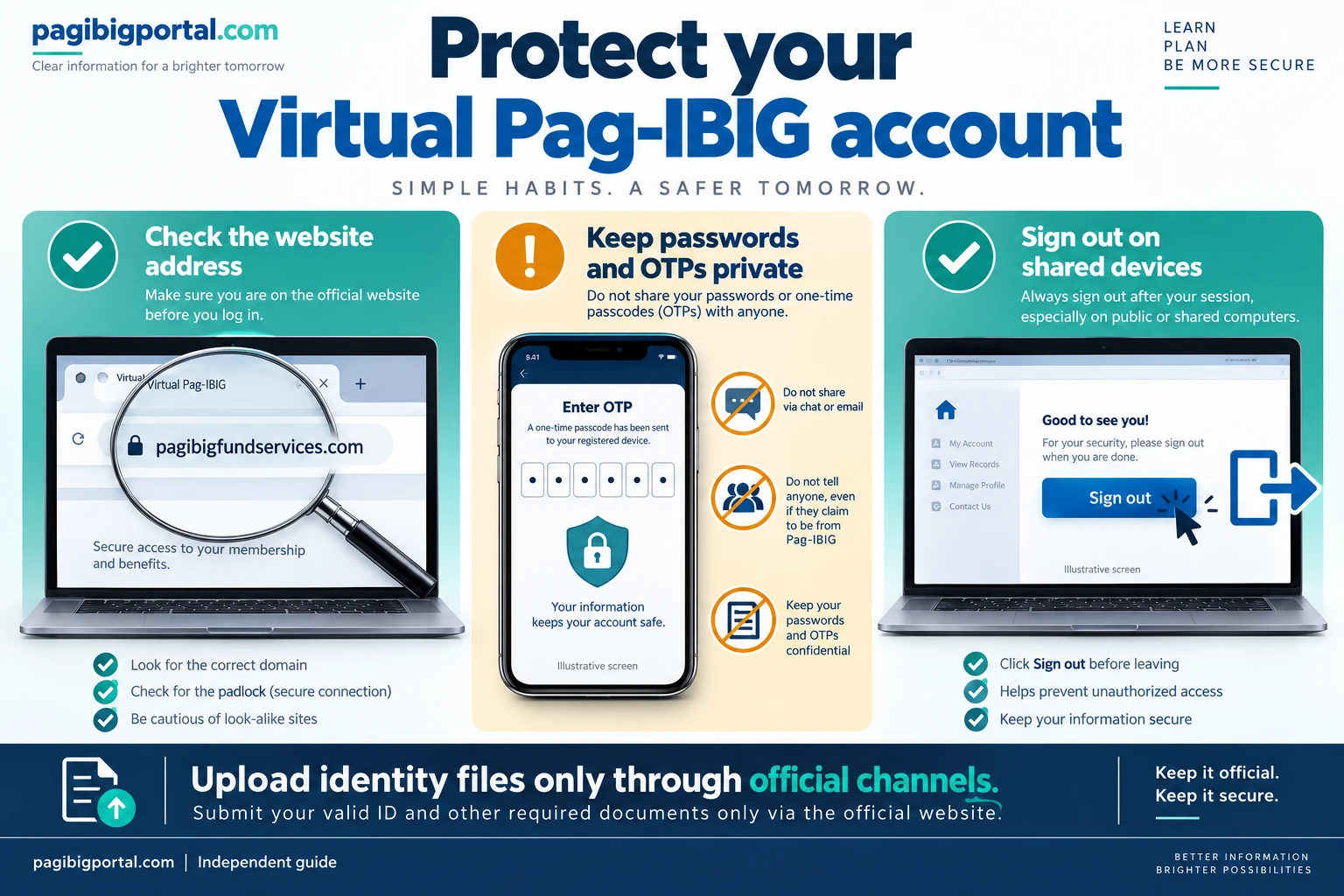
Use the official address and check it before entering your MID number, password, ID images, or one-time PIN.
Official portal address
The current official member portal is available at www.pagibigfundservices.com/virtualpagibig/. Pag-IBIG may also direct users to the service from its main government website. Open the portal through an official Pag-IBIG page or a saved bookmark rather than an advertisement or an unknown message link.
Check HTTPS and the domain
The address bar should show a secure connection and an official Pag-IBIG domain. A familiar logo alone does not prove that a page is legitimate.
Never share one-time PINs
An OTP is used to verify your action. Do not send it to a person claiming that they need the code to activate, repair, or verify your account.
Use your own email address
Account confirmations, temporary access details, and recovery messages may go to the registered email. Do not use an agent’s inbox.
Ignore paid activation offers
Account creation is an official self-service process. Be cautious when someone asks for payment merely to create or activate a standard account.
What can you do in Virtual Pag-IBIG?
The exact menu can change, and some services depend on your member record, loan status, or eligibility.
View Regular Savings
Review the savings and contribution records currently posted to your membership account. This helps you spot missing periods or records that may need employer or Pag-IBIG verification.
Monitor MP2 Savings
See the recorded growth of your Modified Pag-IBIG 2 Savings and monitor annual dividends reflected in the account. Detailed MP2 enrollment and withdrawal questions belong to separate guides.
Track housing loan payments
Review recorded housing loan payments and the outstanding balance made available in the system. If you are still planning a loan, use the Pag-IBIG housing loan calculator to compare estimated monthly amortization. When your files are ready, follow the housing loan online application steps through the official member service. For an existing loan, use the housing loan payment verification steps to confirm whether an amortization was posted and compare it with your receipt.
Monitor short-term loans
Check payment activity and balances for supported short-term loans. Members applying after a declared disaster can review the Pag-IBIG Calamity Loan process, while Multi-Purpose Loan records may also appear when applicable to the account.
Check application status
Selected loan and service applications can be monitored online. The status shown in the account is more reliable than an unofficial message or screenshot.
Use online payment services
The portal and app can provide online payment options for supported savings and loan transactions. Confirm the payment reference, coverage period, amount, and service fee before paying.
Review membership information
Use the available member information to confirm that your name, membership number, and connected records are consistent before an important loan, claim, or payment transaction.
Use the official mobile app
The official Virtual Pag-IBIG app provides mobile access to supported records and services, including savings and loan information, on Android and iOS devices.
What to prepare before creating an account
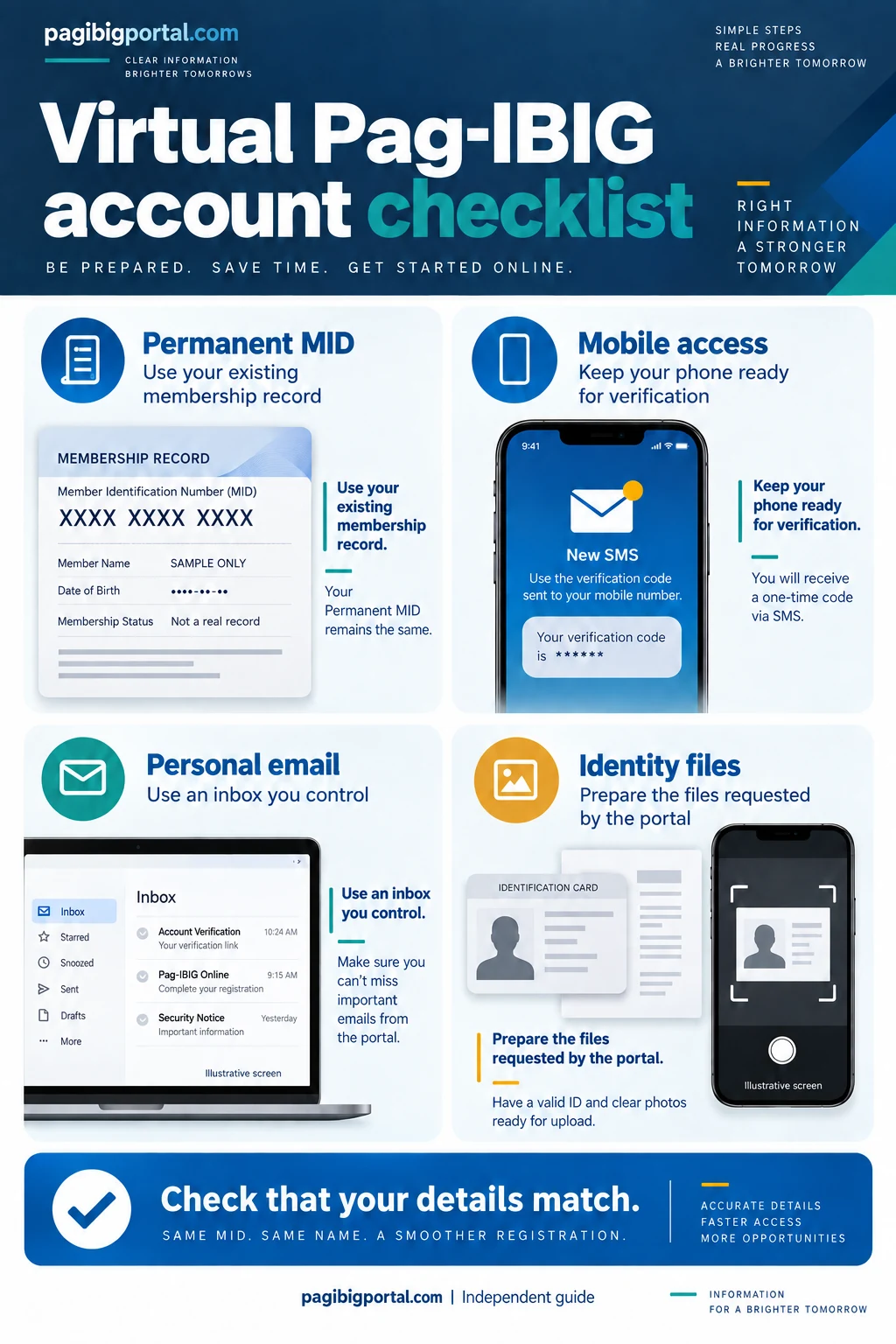
Gather the correct membership and contact details before opening the form so the session is not interrupted.
Ways to create a Virtual Pag-IBIG account
The portal provides different routes so members can choose the identity verification method that fits their situation.
Via Loyalty Card Plus
This route is for members with a supported Pag-IBIG Loyalty Card Plus. The portal may request the MID number, card issuer, selected card digits, an OTP, email address, and security information.
Create and activate online
Members without a Loyalty Card Plus can use the online verification route. Prepare the MID number, mobile number, email address, identity documents, and the selfie or verification files requested on the screen.
Account creation for OFWs
Overseas Filipino workers can choose the dedicated OFW option and complete the identity verification steps shown by the portal from abroad. New members should first review the OFW membership and registration requirements.
Choose based on your real situation
Do not choose the card or OFW route merely because it appears faster. Incorrect verification information may delay activation or require official assistance.
How to create and activate your account online
This is the general route for members who do not use a Loyalty Card Plus. The labels and document requirements shown by the official portal are the final instructions.
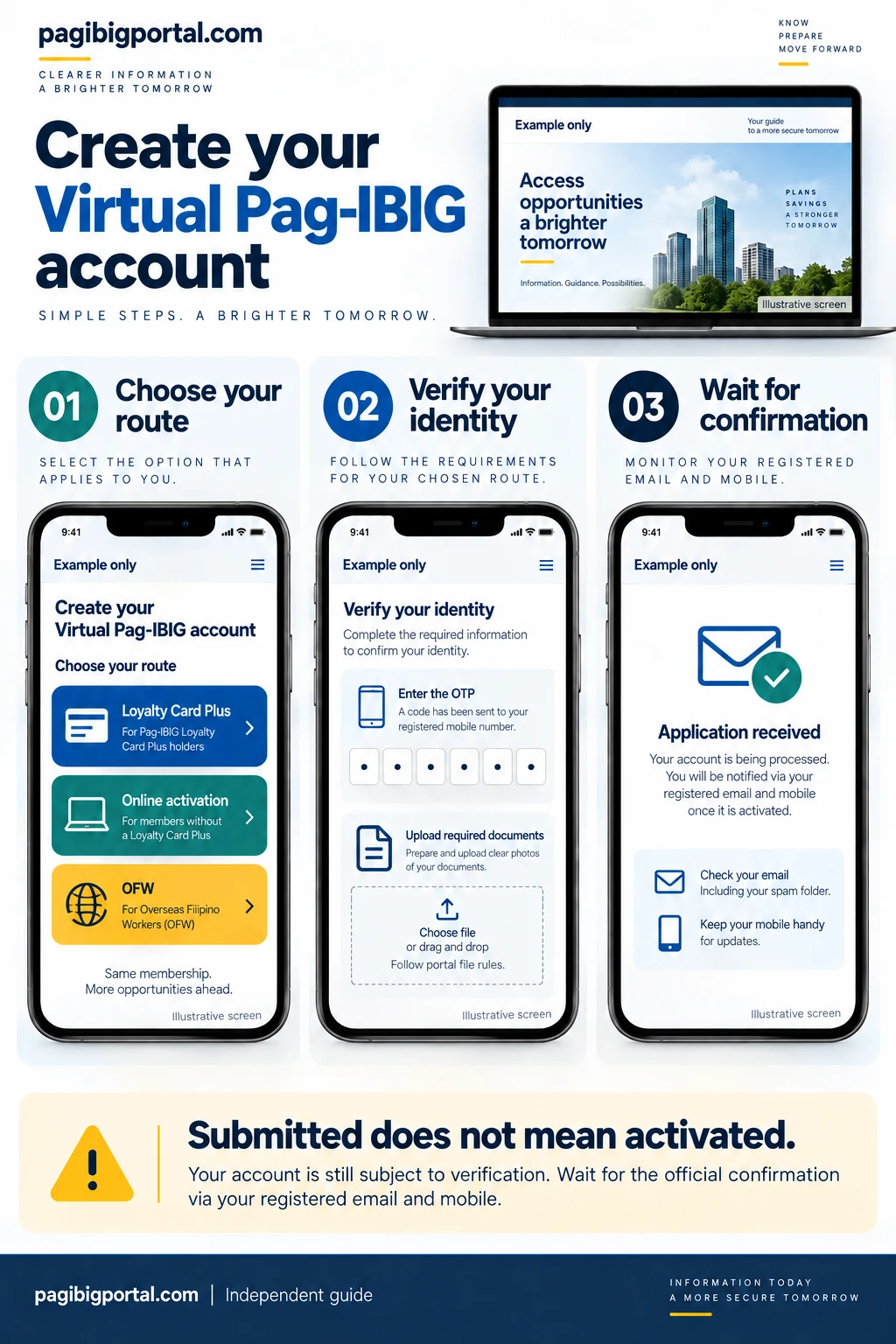
Open the official Virtual Pag-IBIG portal
Visit the official site, choose Create Account, and select the option to create and activate an account online. Check the full domain before entering personal information.
Enter your membership and personal details
Provide the MID number, complete name, birth information, mobile number, and any other identifying fields exactly as recorded in your Pag-IBIG membership.
Verify the mobile number
Enter the one-time PIN sent to the number provided. Wait for the code and avoid making repeated requests too quickly because earlier codes may become invalid.
Add your email and security information
Use an email address you personally control. Complete the security questions or account recovery information requested by the portal and save the answers privately.
Upload the requested identity files
Provide clear, complete images of the accepted ID documents and selfie requested by the current form. Avoid glare, cropped edges, filters, shadows, and unreadable text.
Submit and wait for activation
Review the email address and mobile number before submission. Save the confirmation and monitor the registered contact channels for the activation result or further instructions.
Set a new password and sign in
When activation is confirmed and temporary credentials are provided, change the password immediately. Do not keep a temporary password or share it with anyone offering account assistance.
Creating an account with Loyalty Card Plus
This route connects the account setup to card details issued through a supported Pag-IBIG partner bank.
Information commonly requested
- Pag-IBIG MID number
- Partner bank that issued the Loyalty Card Plus
- The requested digits from the card
- Active mobile number for the OTP
- Personal email address
- Security questions or recovery information
What happens after verification
After the card and mobile verification steps are accepted, the portal may send account confirmation or temporary access information to the registered email. Follow the message instructions and replace any temporary password with a strong private password.
The Loyalty Card Plus route verifies your Virtual Pag-IBIG account. It does not change the bank card PIN, replace the partner bank’s mobile banking setup, or resolve a lost or blocked card.
Virtual Pag-IBIG account creation for OFWs
The dedicated overseas route helps eligible members complete account verification without relying on a Philippine branch visit.
Prepare before starting
Keep the permanent MID number, full name and birth details, active email, reachable mobile number, passport or accepted identification, and any selfie or supporting files required by the current OFW form.
Use a stable connection and prepare the files in advance. Long pauses, weak uploads, and unreadable passport images can interrupt the process.
Use the OFW option only when it applies
Select Account Creation for OFWs on the official portal and complete the onscreen verification. The portal’s current requirements take priority because accepted documents and verification steps can change.
Use an email and mobile number you can continue accessing after a contract, employer, country, or SIM change. Losing both contact channels can make future recovery more difficult.
Activation and online verification
Submission creates an account request. Activation confirms that the verified member can begin using protected account services.
| Stage | What it means | What you should do |
|---|---|---|
| OTP verified | The mobile number was used to confirm the current action. | Continue the form. Do not assume the full account is already active. |
| Documents submitted | The identity files were sent for the selected verification route. | Keep the confirmation and monitor the registered mobile number and email. |
| Activation pending | The account request still needs processing or validation. | Avoid creating another account. Wait for an official notice or contact Pag-IBIG when the delay is unreasonable. |
| Account activated | The member can use the credentials provided or created for sign-in. | Change any temporary password immediately and review the displayed member information. |
| Verification failed | A detail, file, or membership record may not match the requirements. | Read the exact message, correct the supported issue, or contact official Pag-IBIG support. |
Virtual Pag-IBIG mobile app
Pag-IBIG Fund provides an official mobile app for supported member records, payments, and loan services.
Android
The Google Play listing identifies Pag-IBIG Fund as the developer. Check the developer name before installing because a similar app name or copied icon is not enough.
iPhone and iPad
The App Store also lists the official Virtual Pag-IBIG app. Install from the store page linked by Pag-IBIG or verify the developer information carefully.
Keep the app updated
Updates can include compatibility, security, and service changes. Use the current store version and keep the phone operating system reasonably up to date.
Secure the device
Use a phone lock, do not save screenshots containing complete account details in shared albums, and sign out when the device is borrowed or repaired.
Protect your Virtual Pag-IBIG account
The account can show sensitive membership, savings, and loan information, so basic security habits matter.
Common Virtual Pag-IBIG problems and fixes
Start with the exact message on the screen, then use the matching fix instead of repeatedly starting over.
| Problem | Possible reason | What to do |
|---|---|---|
| MID number is not recognized | The number may be incomplete, the record may not yet be available, or identity details may not match. | Confirm the permanent MID and use the exact member information. Do not use the registration tracking number. |
| OTP does not arrive | Weak signal, incorrect number, delayed SMS, or too many code requests. | Check the number and signal, wait, then request one new code. Use only the latest valid code. |
| Email confirmation is missing | The email may be delayed, misspelled, filtered, or full. | Check spam and all folders, confirm the address, and avoid creating another account before verifying the first request. |
| ID upload fails | The file may be too large, unsupported, unreadable, or incomplete. | Follow the displayed file rules and upload a clear image with all edges and details visible. |
| Selfie is rejected | The face or ID may be unclear, covered, dark, filtered, or outside the frame. | Use good lighting, a plain background, and the exact pose and document placement shown by the portal. |
| Session expired | The form was left open too long or the connection was interrupted. | Prepare all information first, close unnecessary tabs, use a stable connection, and restart from the official portal. |
| Account remains pending | Identity review or record matching may still be in progress. | Keep the submission confirmation and contact Pag-IBIG when no official update arrives after a reasonable period. |
| App does not load | An outdated app, operating system issue, maintenance, or unstable connection may be involved. | Update the app, restart the device, switch networks, or use the official website temporarily. |
| Cannot log in after activation | Wrong email, password, temporary credential, or account status. | Use the official recovery option. See the dedicated Pag-IBIG Login guide for detailed troubleshooting. |
Virtual Pag-IBIG website versus mobile app
Both are official access options, but the better choice depends on the task and device.
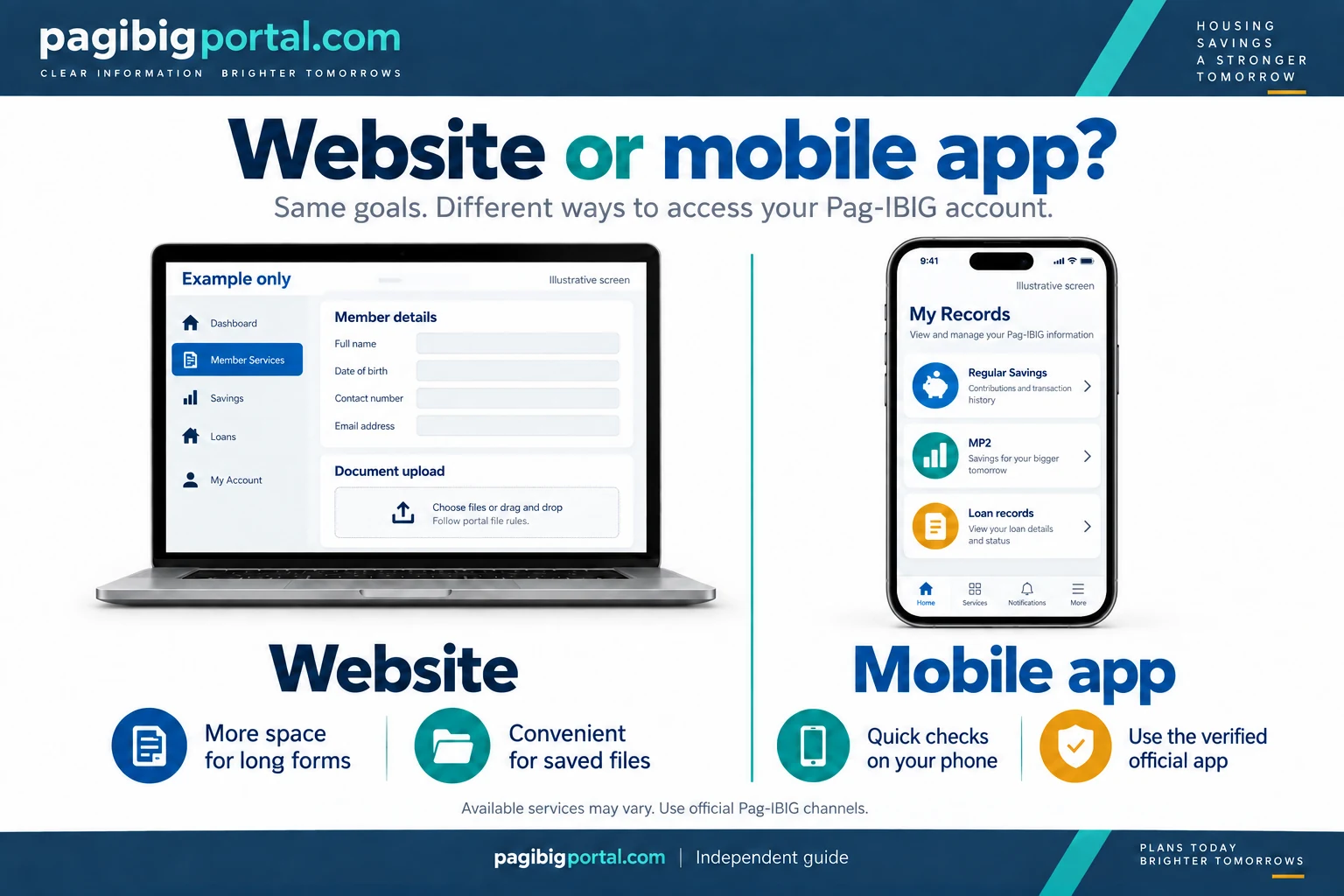
| Need | Website | Mobile app |
|---|---|---|
| Long account creation form | Often easier on a laptop or desktop with a larger screen. | Possible when supported, but document selection and long entries may be less comfortable. |
| Regular savings or loan check | Good when using a computer or browser. | Convenient for quick checks from a personal phone. |
| Document upload | Useful when files are already saved on the computer. | Useful when taking a clear document photo directly on the phone. |
| App installation not possible | No app installation is required. | Requires a compatible device and current store version. |
| Shared device | Use private browsing only when necessary, then sign out and clear saved credentials. | A personal device is safer than a borrowed phone with saved app access. |
Frequently asked questions
Answers to common searches about the portal, account, activation, and app.
What is Virtual Pag-IBIG used for?
It is Pag-IBIG Fund’s official digital service platform for viewing supported membership, savings, MP2, and loan records, using selected online services, checking statuses, and accessing account-related transactions.
Is Virtual Pag-IBIG legitimate?
Yes. Virtual Pag-IBIG and its official mobile app are operated by Pag-IBIG Fund. Always check the official domain or app developer because imitation websites and fake support accounts may copy the name.
What is the official Virtual Pag-IBIG website?
The current official member portal is at www.pagibigfundservices.com/virtualpagibig/. Pag-IBIG may also link to the portal from its main official website.
Do I need a MID number to create an account?
A full member account normally requires the permanent Pag-IBIG MID number connected to your membership record. An RTN issued after new-member registration is not the same as the MID.
Can I create an account without a Loyalty Card Plus?
Yes. Choose the online account creation and activation option and complete the identity verification requirements shown by the portal.
How do I activate Virtual Pag-IBIG?
Select the account creation route that fits your situation, complete the OTP and identity verification steps, submit the request, and follow the official activation notice sent to the registered contact details.
Can OFWs create a Virtual Pag-IBIG account?
Yes. The portal provides a dedicated account creation option for overseas Filipino workers. Prepare the membership, contact, and identity documents required by the current OFW form.
Is there an official Virtual Pag-IBIG app?
Yes. Pag-IBIG Fund publishes the official app for Android and iOS. Check the developer name and use the store page linked by Pag-IBIG when possible.
Can I check Pag-IBIG contributions in Virtual Pag-IBIG?
You can view the Regular Savings records made available in your account. A separate contribution guide should explain posting periods, missing contributions, employer records, and payment verification in more detail.
Can I view MP2 in Virtual Pag-IBIG?
The official app states that members can see the growth of MP2 Savings and monitor annual dividends. MP2 enrollment, payment, maturity, and withdrawal are separate topics.
Why is my Virtual Pag-IBIG account still pending?
The account may still require identity review or record matching. Keep the first submission confirmation, monitor your registered email and mobile number, and contact official support when the delay continues.
Why am I not receiving the OTP?
Check the mobile number, phone signal, SMS inbox, and request timing. Wait before requesting a new code and enter only the most recent valid OTP.
Can I use Virtual Pag-IBIG on a computer?
Yes. The official website works through a supported browser, and a larger screen can be easier for account creation, document review, and long forms.
Is creating a Virtual Pag-IBIG account free?
Standard account creation through the official service does not require paying an agent. Review any transaction fee displayed separately when using a supported online payment channel.
Should I create another account if I cannot log in?
No. Use the official password recovery or account support process. Creating repeated accounts with different emails or mobile numbers may make the issue more difficult to resolve.
Watch: Virtual Pag-IBIG account tutorial
A video walkthrough of account creation and online contribution monitoring.
Video by The MoneyWise Engineer. This is a third-party tutorial. Screens and requirements may change; follow the current instructions on the official portal.
Official resources and related guide
Use official Pag-IBIG channels for account access, identity verification, payments, and sensitive member information.
Paying online: For payment types, bank and wallet checks, fees, receipts, and posting problems, see our Pag-IBIG online payment instructions.
After activating Virtual Pag-IBIG and confirming your member record, review the Loyalty Card Plus guide for enrollment requirements, branch processing, and replacement help.
If your online concern still requires an in-person visit, review the weekday, weekend, and holiday guidance in our Pag-IBIG operating hours guide.
When an online request still requires document checking or identity verification, use the Pag-IBIG branch planning guide to confirm the appropriate office before going.
For help with portal access or an online request, use the phone, email, and chat routes listed on our Pag-IBIG contact guide.