Pag-IBIG Housing Loan Online Application
Prepare the correct forms, upload readable files, use the official member channel, and understand what happens after you submit your housing loan application online.
Quick answer
Pag-IBIG members can start and submit a housing loan application through the official Housing Loan Online Application service. The official page requires you to log in to a Virtual Pag-IBIG account, then prepare the applicable housing loan form, proof of income, one valid ID with signature, and a clear selfie holding that ID.
Online submission is the beginning of evaluation, not automatic approval. Pag-IBIG may still validate your membership, income, property, forms and supporting records, and it may request originals or additional documents for your specific transaction.
What the online application service actually does
The service lets a member prepare and submit the initial housing loan application package digitally. It reduces the need to hand over the first set of files at a branch, but it does not convert the entire housing loan into an instant, fully automated transaction.
What you can do online
- Open the official housing loan application service
- Sign in through Virtual Pag-IBIG for secure access
- Prepare and submit the required borrower files
- Provide personal and loan-related information
- Consent to the official privacy notices
What still requires evaluation
- Eligibility and contribution validation
- Income and repayment-capacity assessment
- Property appraisal and legal-document review
- Approval of the amount, rate and term
- Signing, mortgage documentation and loan release
Files to prepare before opening the application
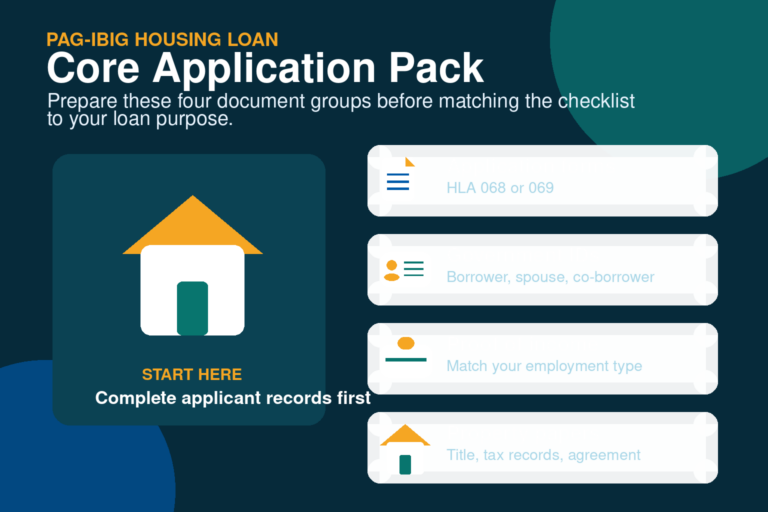
The official page lists four core items. Prepare them first so you do not lose progress while searching for files or taking a new photo.
- Duly accomplished HLF068 for the principal borrower
- HLF069 for each co-borrower, when applicable
- Proof of income that matches employment status
- One accepted valid ID with the applicant’s signature
- A clear selfie while holding the uploaded ID
- English translation for OFW documents in another language
The selfie must show the same ID uploaded with the application, and the official page states that the selfie file must not exceed 3 MB. It also warns that unclear selfies, group pictures and photos with pets may delay or cause rejection of the application package.

Which proof of income should you upload?
| Applicant type | Examples listed by the official service | Important preparation point |
|---|---|---|
| Locally employed | Notarized Certificate of Employment and Compensation, latest ITR with BIR Form 2316, or a certified one-month payslip within the last three months | Government employees must submit the recent certified payslip together with the CEC or ITR. |
| Self-employed | ITR and financial records, commission vouchers, 12-month bank statements, lease records, transport franchise, certificate of engagement, or another record validating the source of income | Choose records that show a consistent, verifiable income source rather than uploading unrelated documents. |
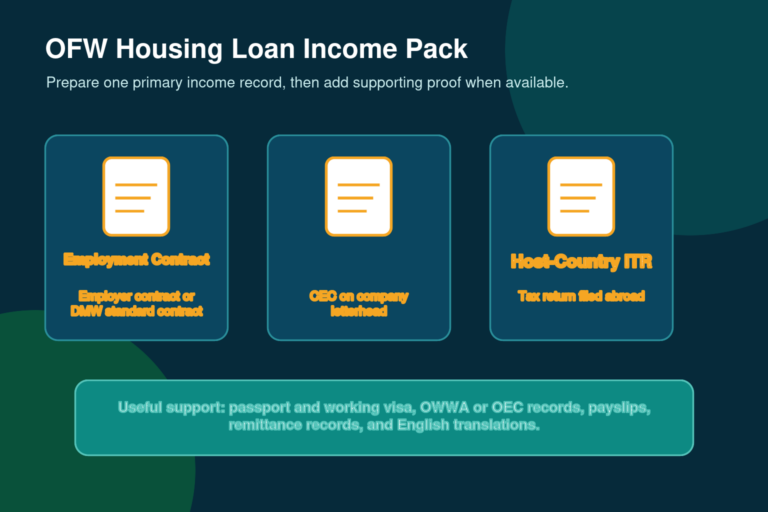
| OFW | Employment contract, Certificate of Employment and Compensation, or host-country income tax return | Documents in another language need an English translation. Detailed OFW application issues belong to the separate OFW housing loan page. |
The online page gives examples, but the final set can depend on your employment arrangement, income source, co-borrower and requested loan. Uploading a large number of unrelated files does not compensate for missing a document that directly proves income.
How to apply for a Pag-IBIG housing loan online
The screen labels may change as Pag-IBIG updates its service, but the safe preparation and submission sequence remains the same.
Confirm your member information
Make sure your legal name, birth details, Pag-IBIG MID number and contact information are accurate. If you still have only an RTN or need to retrieve your number, review the MID number process before applying.
Choose the correct loan purpose
Know whether the request is for purchase, construction, home improvement, refinancing or another eligible purpose. The property documents and evaluation path depend on this choice.
Estimate an affordable request
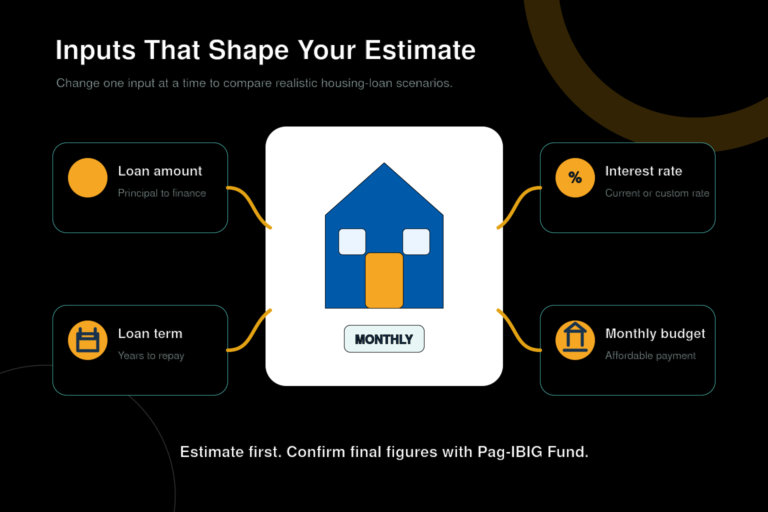
Use the housing loan calculator to compare possible amounts and terms. A calculator result is only an estimate, but it helps you avoid requesting an amount that is far outside your documented budget.
Download and complete the forms
Use HLF068 for the principal borrower and HLF069 for a co-borrower. Follow the official front-page and back-page form guides, attach the required 1×1 photo, and sign every applicable declaration.
Create clear digital copies
Scan or photograph complete pages in good light. Check that signatures, dates, ID details, employer information and document edges are visible. Keep filenames simple so you can identify each file during upload.
Open the official housing loan service
Go to the official Housing Loan Online Application page and continue to the secure Virtual Pag-IBIG sign-in. If you cannot access the account, use the Pag-IBIG login troubleshooting steps instead of repeatedly creating new accounts.
Read the reminders and privacy notices
The official page displays the required files and data-processing notices before submission. Read these carefully, especially when the application includes a spouse, co-borrower, seller or property owner.
Enter the application details and upload files
Copy names and numbers exactly from the supporting records. Upload each file to the correct category, and use the same valid ID in the ID upload and selfie.
Review before submitting
Check the loan purpose, requested amount, employment type, addresses, contact details, co-borrower information and every attachment. Correcting a mismatch before submission is easier than responding to a document deficiency later.
Submit and keep the official confirmation
Complete the official submission and save any confirmation, reference number, email or screen message provided by the service. Use only official contact channels when following up or sending a requested correction.

How to complete the housing loan application form online
The keyword “application form online” can be misleading. The official service still instructs the principal borrower to download and duly accomplish HLF068, and it provides HLF069 for a co-borrower. In other words, the web application does not necessarily replace the signed borrower form.
Complete the form using the same personal information shown in your membership and identity records. Use a consistent property address, loan purpose, civil status and income information throughout the form and supporting files. Do not leave a required field blank simply because the same detail appears on another uploaded document.
Common form mismatches to check
- Married name on one file and maiden name on another without supporting civil records
- Different home, employer or property addresses across forms
- Missing co-borrower signature or incomplete HLF069
- Requested loan purpose that does not match the property documents
- Unclear 1×1 photo, overwritten entries or cropped form pages
Member application vs developer online application
The similar service names cause confusion. Choose the channel based on who is authorized to submit the application.
| Channel | Who uses it | When it fits | What the borrower should do |
|---|---|---|---|
| Housing Loan Online Application | Pag-IBIG member applying for their own housing loan | Direct member submission through the official online service | Prepare the borrower forms and files, sign in securely, review and submit. |
| Developer’s Online Housing Loan Application | Accredited developer submitting for a prospective borrower | Purchase connected to an authorized developer and its approved submission workflow | Confirm the developer’s authority, review every form, and keep copies of all information submitted in your name. |
| Branch submission | Applicant who needs direct assistance or has a complex file set | When the digital service is unavailable or the applicant needs document review | Bring the current checklist, forms, IDs and property records to the appropriate Pag-IBIG office. |

What happens after online submission?
Pag-IBIG reviews the submitted application and supporting documents. The next action can differ by loan purpose, property, applicant and completeness of the file. You may be asked to correct an attachment, provide another income record, submit property documents, present originals or complete later loan and mortgage documents.
Do not treat the absence of an immediate decision as approval or rejection. Watch the email address and mobile number used in the application, check official account messages when available, and respond only through confirmed Pag-IBIG channels. A separate article will own detailed housing-loan application status and follow-up questions.
Keep ready
- Original IDs and signed forms
- Clear copies of every upload
- Property and seller documents
- Recent income proof if an update is requested
- Submission confirmation or reference details
Verify before acting
- Whether a request came from an official address
- Which exact document is deficient
- Whether originals or certified copies are needed
- Where and how the correction must be submitted
- Whether the requested deadline is official
Common online application problems and practical fixes
Virtual Pag-IBIG login fails
Confirm the account details, email access and member number. Use the official account-recovery path instead of entering personal data on a third-party login page.
The form will not upload
Check the file format and size shown by the current screen. Rescan a complete, readable copy and use a simple filename without unusual symbols.
The selfie is rejected
Use the same ID as the uploaded ID file, hold it close enough to read, avoid glare, and keep the file at or below the stated 3 MB limit.
Applicant details do not match
Correct membership data or prepare the civil and identity records needed to explain the difference. Do not hide a mismatch by editing an official document image.
No confirmation appears
Check whether the final submission completed, review email and account messages, and avoid sending repeated duplicate applications until Pag-IBIG confirms the correct next step.
A seller asks for your password
Do not share a Virtual Pag-IBIG password, one-time code or email access. An authorized helper can explain documents without taking control of your personal account.
Official pages to use
Start with the official Housing Loan Online Application reminder page. It links to the current principal-borrower and co-borrower forms, the form guides, accepted IDs and proof-of-income examples.
For account access, use Virtual Pag-IBIG. For the broader checklist and property documents, use the official downloadable forms and housing-loan resources linked from Pag-IBIG Fund’s website. Service labels and requirements can change, so confirm the live official screen before submission.
Frequently asked questions
Can I apply for a Pag-IBIG housing loan completely online?
You can complete and submit the initial application package through the official online service. Pag-IBIG may still require document validation, property evaluation, originals, signatures or later in-person steps before approval and release.
Do I need a Virtual Pag-IBIG account?
The official housing loan application page states that you must log in to a Virtual Pag-IBIG account for security before accessing savings and loan records.
Can I use an RTN instead of a MID number?
The service has historically supported members with a MID or RTN, but the current login and application screen controls what is accepted. Complete MID assignment or verification when the service requests it.
Which form does the principal borrower use?
The official page links HLA HQP-HLF-068 for the principal borrower. Download the current version from the official service rather than relying on an old saved copy.
Which form does a co-borrower use?
The official page links HLA HQP-HLF-069 for a co-borrower. Each applicable co-borrower should provide accurate personal and income information and sign the required declarations.
Can I fill out the housing loan application form entirely in the browser?
The service may collect web-form information, but the official reminder still asks for a duly accomplished housing loan application with a 1×1 photo. Prepare the downloadable signed form unless the live official screen clearly provides a replacement process.
What is the maximum selfie file size?
The official application reminder states that the uploaded selfie must not exceed 3 MB. The ID must be visible and the photo must clearly show the applicant holding it.
How many valid IDs are required for the online application?
The official online reminder asks for a photocopy or scanned copy of one accepted valid ID with signature. Another stage or a specific case may require additional identification.
What proof of income can an employed applicant upload?
The official page lists a notarized Certificate of Employment and Compensation, the latest ITR with BIR Form 2316, or a certified one-month payslip within the last three months. Government employees have an additional payslip note.
Can a self-employed member apply online?
Yes. The official page lists several ways to validate self-employed income, including tax and financial records, commission vouchers, bank statements, lease records and other documents supporting the income source.
Can an OFW submit a housing loan application online?
The online reminder includes OFW proof-of-income options. Documents in another language require an English translation. Detailed OFW eligibility and representative issues should be checked against the current OFW housing loan requirements.
Can a developer submit the application for me?
An accredited developer may use the separate developer online housing loan application channel for a prospective borrower. Review all information and forms before authorizing or signing the submission.
Does online submission guarantee approval?
No. Approval depends on Pag-IBIG’s evaluation of eligibility, income, repayment capacity, requested amount, property and complete documents.
How long does an online housing loan application take?
The public application reminder does not give one universal processing time for every case. Timing depends on completeness, verification, property documents and required follow-up, so use the official messages for your application.
Can I submit another application if I made a mistake?
Avoid creating duplicate applications without guidance. Save the confirmation, identify the incorrect field or file, and ask Pag-IBIG through an official channel how to correct or replace the submission.
Is it safe to let an agent log in for me?
No one should need your password, one-time code or email access to explain the process. Use your own device and account, and share only documents required through the official submission channel.
Related Pag-IBIG resources
Independent information notice
This website is an independent informational resource and is not Pag-IBIG Fund or a Philippine government website. Online screens, forms and documentary requirements can change. Confirm the current instructions on the official Pag-IBIG Fund and Virtual Pag-IBIG websites before uploading personal information, signing a form or acting on an application request.